
Smart POS and management system for food and drink businessesSmart POS and management system
Your register, floor and kitchen in one system
Orders come from the QR menu on the table or the waiter’s phone, land on the kitchen screen, get paid at the register and go into the end-of-day report. Reslio does all of it in one program, on the computers, tablets and phones you already have.
Running every day at Avlu Cafe in Tashkent
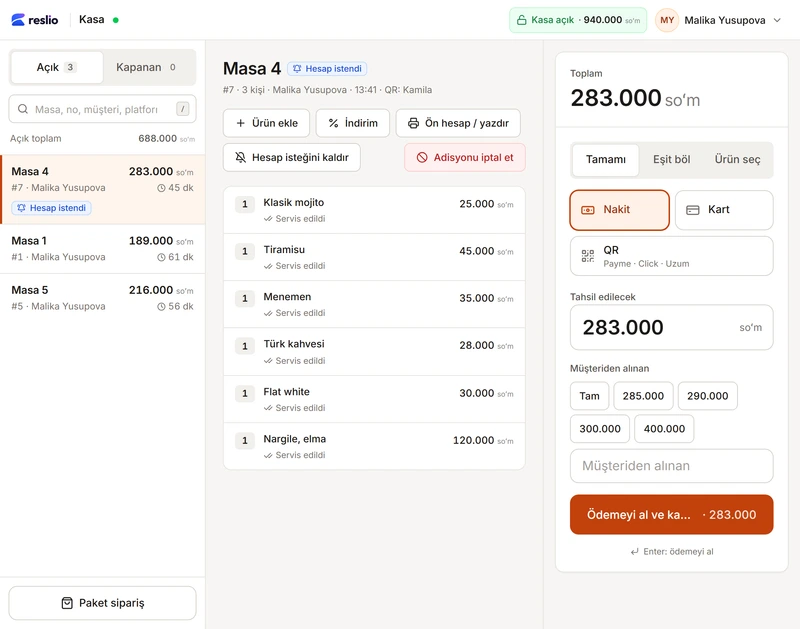
Registercomputer or tablet
Opens the bill and takes payment in full, split evenly or by item. Closes it with cash, card or QR.
Real screens from the programAll in one program. You choose what to use.
- Register (POS)Bills, split payments, discounts and comps, pre-bill, takeaway orders
- PaymentsCash, card and QR; Payme and Click can be connected
- QR menuIn 4 languages, no app to install; everyone at the table orders from their own phone
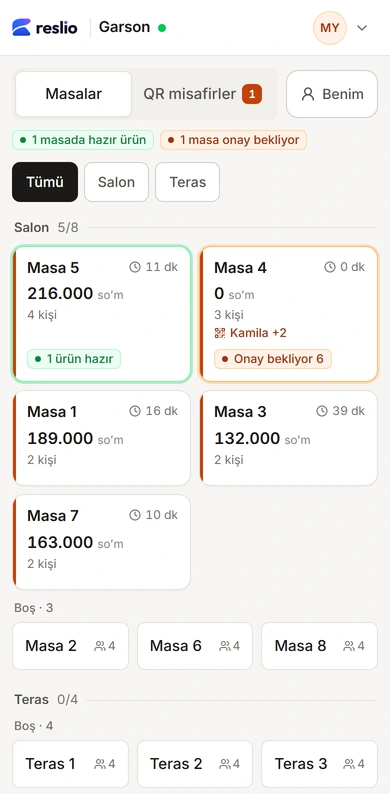
- WaiterOrder approval, waiter calls and bill requests on the phone, with sound alerts
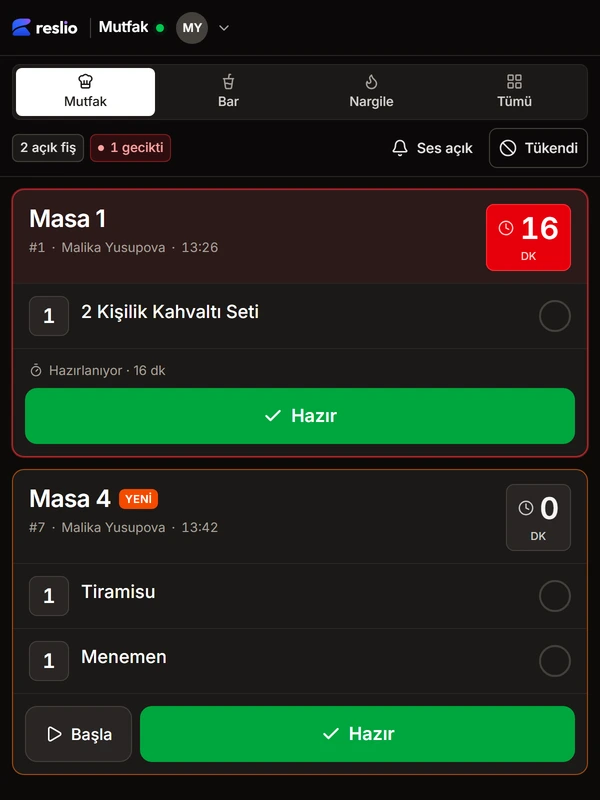
- Kitchen and barTickets on screen; timers, delays and a “sold out” mark
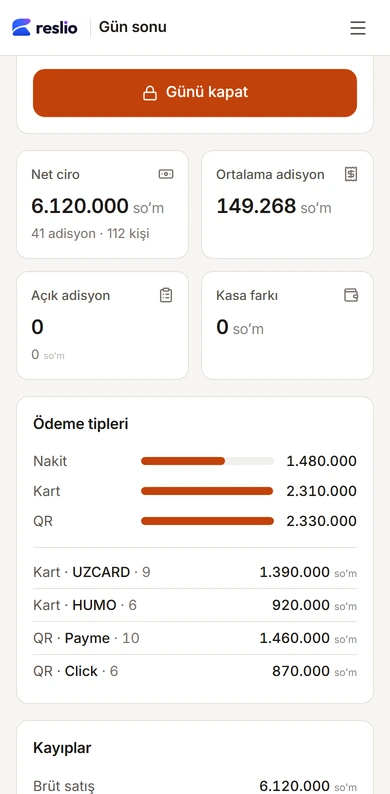
- ReportsLive revenue, end of day and Z report, best sellers
- StaffEveryone signs in with their own account; discounts and voids need a PIN and are logged
- Stock and costsSoonRecipe costing, profit and loss, stock counts
How does an order get from the table to the register?
A 2-minute real screen recording. Tap a step and the video jumps there. The video is in Turkish for now.
GuestThe guest scans the QR code on the table. The menu opens on the phone; no app needed, and the table number fills in by itself.
Everyone has their own screen.
Guest, waiter, kitchen, register and manager see the same order, each on their own screen.
Guest · their own phone
Are your guests looking around for a waiter?
- The guest scans the QR on the table, picks from the menu and adds to the cart; no app to download.
- Everyone at the table orders from their own phone; all the picks show together in Live Table.
- They tap “Send to waiter”. Calling the waiter or asking for the bill is one tap too.
Waiter · phone
Is your waiter still walking from table to table?
- The waiter’s phone tells them right away: a new order is waiting for approval, a dish is ready, a table is calling, a table wants the bill. All with a sound alert.
- The waiter opens the table, approves the order and sends it to the kitchen with one tap.
- For a table without a phone they enter the order themselves; they answer a call with “Coming” and mark dishes as served.
Kitchen · tablet or screen
Do tickets get lost in the kitchen?
- The moment the waiter approves, the ticket lands on the kitchen screen; every ticket shows its timer.
- The chef taps “Start”, then “Ready”; the waiter knows at once.
- A ticket older than 15 minutes turns red.
- If a dish runs out, it is marked “Sold out”; it closes on the waiter’s screen and in the guest’s QR menu.
Register · computer or tablet
When the bill comes, is it “who had what” again?
- When a guest asks for the bill, the table is marked on the register screen right away.
- With “By item”, everyone pays for what they had.
- Card, cash or both; the register works out the change.
- Even split, discount, pre-bill and takeaway on one screen; once it is paid, the table frees up by itself.
Manager · phone or computer
Do you know right now how much you sold today?
- The day’s revenue shows live, even on your phone.
- Payment types and best sellers on one screen.
- End of day and Z reports in the same panel.
Eight features that make the work easier
Each one is a short 20–50 second video (in Turkish for now).
Try it yourself
Now you try: place an order and approve it.
As the guest at Table 2, add dishes and send them; as the waiter, approve. Food goes to the kitchen and drinks to the bar on separate tickets.
‹ Back EN
BreakfastBarFoodHookah
Table 2 · 1 guest at the table
Recommended today
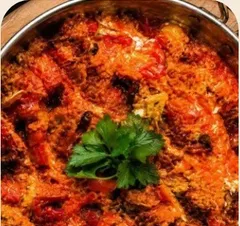 Menemen35.000 so‘m
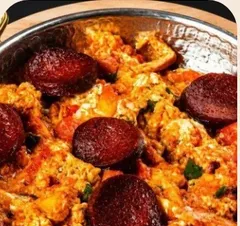 Menemen with sucuk55.000 so‘m
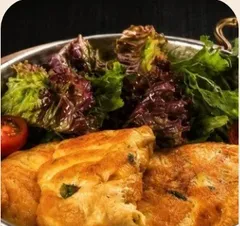 Fried eggs38.000 so‘m
 Watermelon juice20.000 so‘m
1Guest · Table 2 · 13:52
 WaiterMY
TablesQR guestsMine
1 table with a ready dish1 table waiting for approval
Hall 5/8
Table 1
189.000 so‘m2 guestsTable 2
FreeTable 3
132.000 so‘m2 guestsWants the billTable 4
283.000 so‘m3 guestsTable 5
216.000 so‘m4 guests1 dish readyTable 6
FreeTable 7
163.000 so‘m2 guestsTable 8
Free
←Table 2#8 · 0 min · Malika Yusupova
Live Table · guest order
Guest orderedAt menu prices
Bill
- Nothing yet
+ Add item
2Waiter’s phone
 Kitchen
BarHookahAll
Table 1Kitchen
#1 · Malika Yusupova · 13:26- 1Breakfast set for two
▷ StartReady
Table 4Kitchen
#7 · Malika Yusupova · 13:42- 1Tiramisu
- 1Menemen
▷ StartReady
Table 5Bar
#5 · Malika Yusupova · 13:49- 2Ayran
▷ StartReady
3Kitchen tablet
That’s it. With the register and the manager panel, all six screens are in the live demo.
At your own pace
No feature is mandatory.
Start with just the QR menu; when you’re ready, add the waiter, the kitchen and the register. You decide what to use.
- step 1QR menu
- step 2Waiter and kitchen
- step 3Register and payment
Plans
A quote based on your number of tables.
-
- Table
- Menu
- Waiter
- Kitchen
- Register
- Day end
- Tap
The guest’s phone
QR Menu
- 4-language QR menu
- Call the waiter, bill
- Telegram Mini App
-
Recommended
- Table
- Menu
- Waiter
- Kitchen
- Register
- Day end
- Tap
Phone, tablet, register
Restaurant
- Everything in QR Menu
- Live Table
- Waiter, till, kitchen, bar
- Payme, Click, terminal
- Z report and reports
-
Coming soon
- Table
- Menu
- Waiter
- Kitchen
- Register
- Day end
- Tap
Reslio Tap on the table
Restaurant + Tap
One Tap per table: 12 devices
- Everything in Restaurant
- Reslio Tap on every table
- Four buttons on the table: call, order, bill, cancel
Reslio Tap · table devices Prototype
No need to raise a hand: four buttons on the table.
-
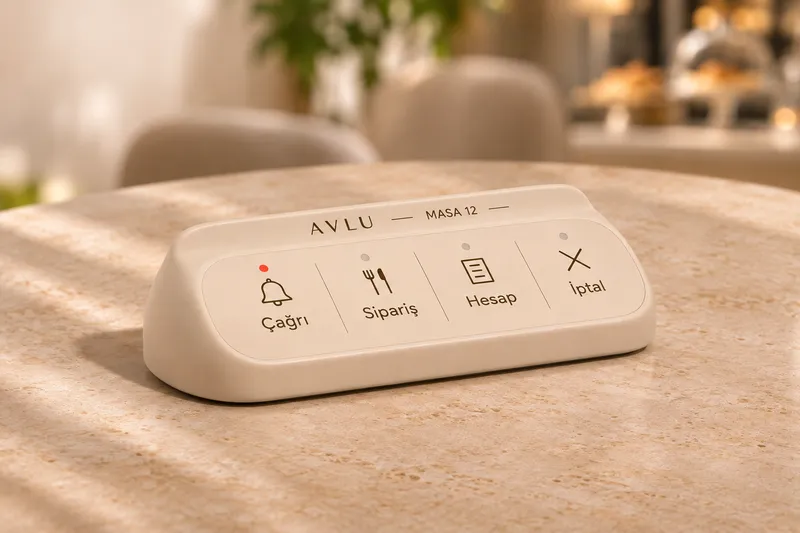
Tap Mini
Just four keys and the table number. For bar counters and small tables.
4 keys -
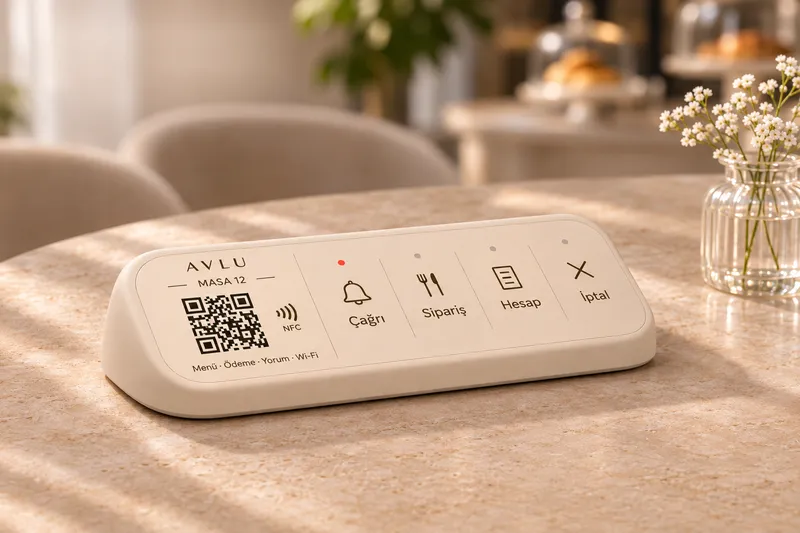
Tap Compact
Low, sloped body: QR and NFC on the left, four keys on the right.
4 keysQRNFC -
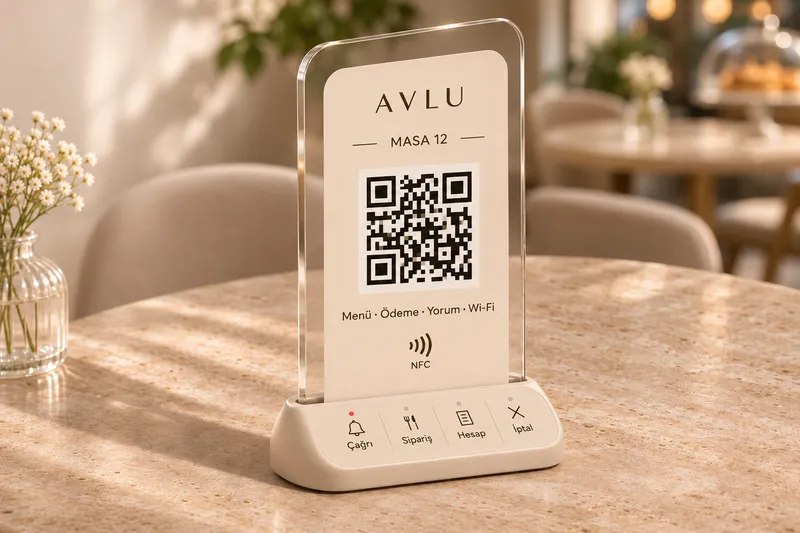
Tap Stand
Upright acrylic card on a base with keys. The menu is visible from anywhere at the table.
4 keysQRNFC -
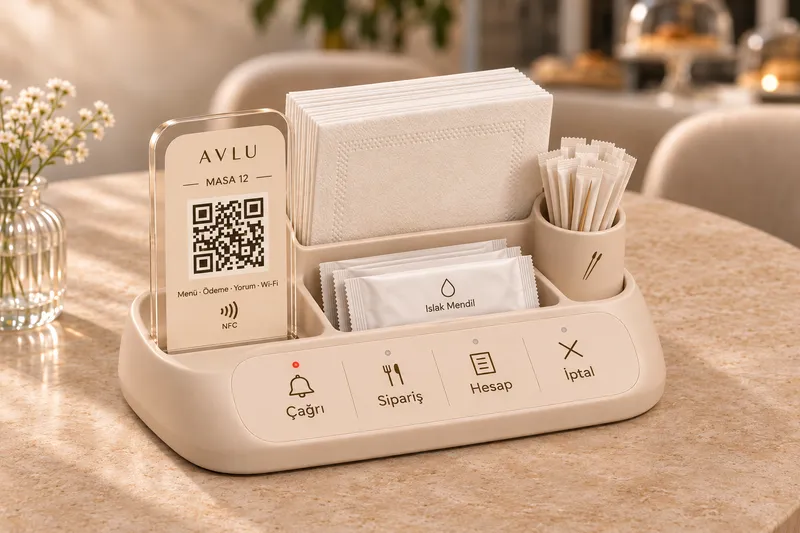
Tap Servis
A tray with napkin, wet-wipe and toothpick compartments; QR card and four keys in one piece.
4 keysQRNFCNapkin holder What the waiter gets
- CallTable 12 is calling the waiter
- OrderTable 12 is ready to order
- BillTable 12 asks for the bill
- CancelLast request cancelled
Prototype. Images are design renders; your venue’s name and table number are printed on each device.
FAQ
Can’t find your question? Write to us and we’ll reply on Telegram or by phone.
Open the live demoScan with your phoneDo I need extra devices?
No. The phones, tablets and computer you have are enough. For a card terminal, a small program is installed on the register computer.
Do guests have to download an app?
No. They open the QR menu in Telegram or in the browser.
Which languages are there?
Turkish, Russian, Uzbek, English. The menu and every screen.
Does it print fiscal receipts?
Not yet, we’re working on it. For now your register device prints the fiscal receipt; Reslio keeps the order, pre-bill, payment and Z report.
Can I use it in several branches?
Soon. Each branch will be set up separately with its own menu, register and staff.
Quote
A quote for your business.
Leave your name and number and we’ll get back to you on Telegram or by phone.